
- Home
- Product
- Amazon Relay import
Amazon Relay import
Bring Amazon Relay trips in, and check what Amazon paid.
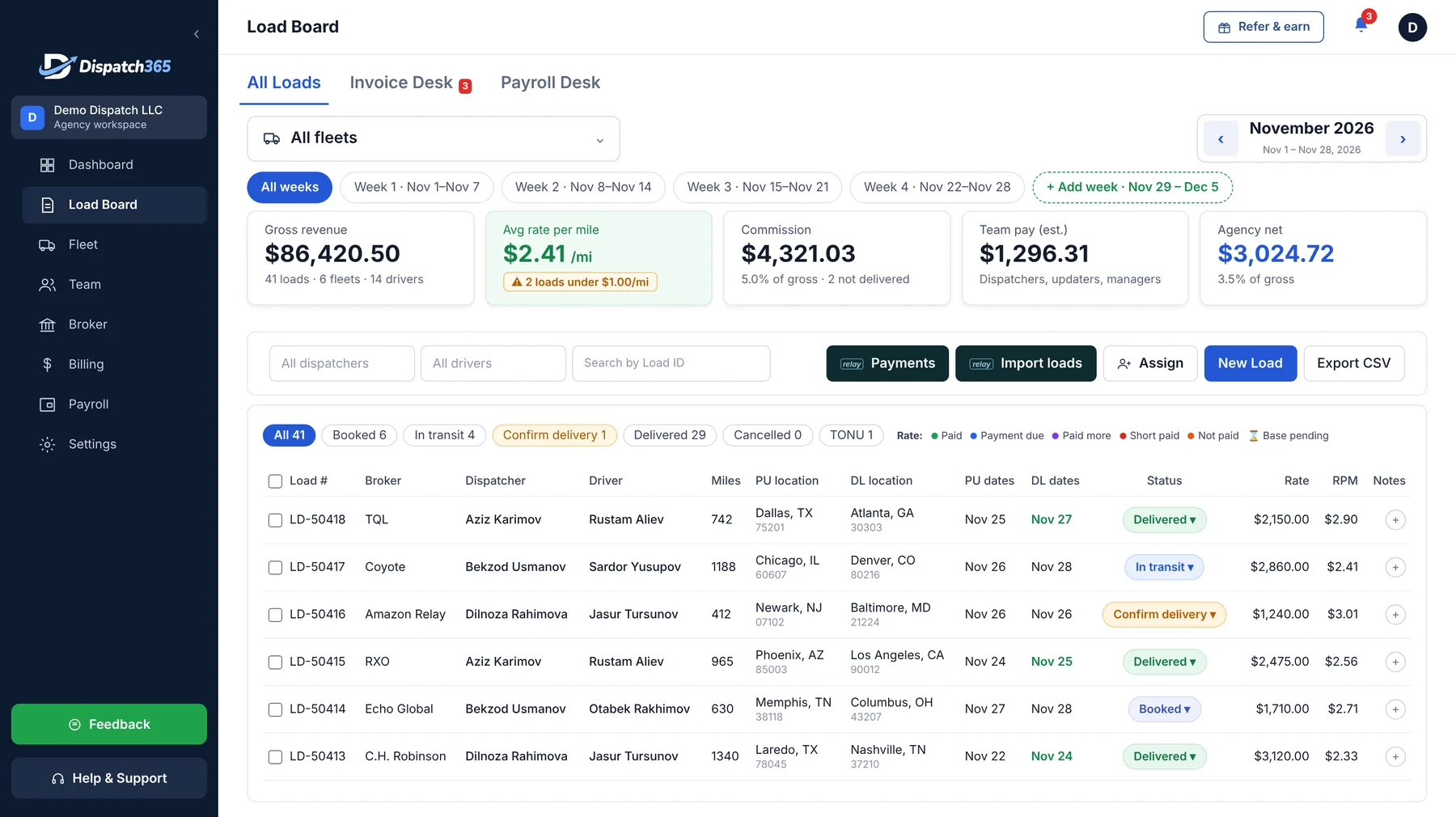
Many dispatch services run Amazon Relay freight next to broker loads. Dispatch365 imports the Relay export and keeps track of what Amazon actually paid per trip.
What you get
Built around how a dispatch service works.
Import the Relay export
On the Load Board, choose Import loads and upload your Amazon Relay export. Trips come in as loads, with their legs and stops.
Dates checked on import
Every trip's dates are checked. Trips that fall in a closed month are listed so you can go back or confirm them with a reason.
Record what Amazon paid
Payments records Amazon's pay per trip (base, fuel, tolls, detention, TONU and other) against what you expected.
Spot short pay
Each trip shows whether it was paid, paid more, short paid or not paid yet, so missing money doesn't slip by.
Stops stay as Relay sent them
Stops on a Relay load are read-only, because they come from Relay. Everything else works like any other load.
Billed like any load
Relay loads get a billing week from their dates and flow into invoices and dispatcher pay with the rest.
FAQ
Amazon Relay import: common questions
Do I need to retype Relay trips?
No. Upload the Relay export file and the trips come in as loads.
Can a Relay load have several legs?
Yes. A Relay load can have several trip legs. Its stops are read-only on the load page because they come from Relay.
More in Dispatch365
Load Board
Every load for every carrier, Booked to Delivered.
Learn more →Invoicing
Weekly invoices to truck companies from the same loads.
Learn more →Dispatcher pay
Commission saved on every load, pay you can trust.
Learn more →Team & roles
Admins, managers, dispatchers and updaters, each with the right view.
Learn more →Move your dispatch service off spreadsheets.
Start a 30-day free trial with every feature. No card required, and you can invite your whole team.